


Of fundamental importance is to be able to answer the question ‘What value are the iPads adding to learning?’ iPads are simply one tool, albeit a very powerful one, that needs to be used appropriately.
Sticking them in as a bolt on “Do some research and produce me a keynote on….” is fundamentally missing the point of a device that strengths lie in its ability to capture information in video or photo formats, easily manipulate, combine, add and remove details.
Fundamentally teachers no longer need to transfer information directly to their students. Information can be gained from the students watching videos either from the Khan Academy,iMovie or a Showme
How might we structure a lesson?
The important thing is to not to try to do too much. A fairly standard lesson is to start and finish with a diagnostic tool. The best I have found is Socrative .
A challenge is then set to the students who will use a creative APP in order to show the solution
Starting the lesson
We need to know what our students know so a great way of starting are;
Use Socrative to find out what they know using a quiz, that can be given at the start of the lesson and again at the end of the lesson. The results can be emailed which gives spreadsheets enabling progress to be shown over the course of one lesson or several – See the Socrative post here
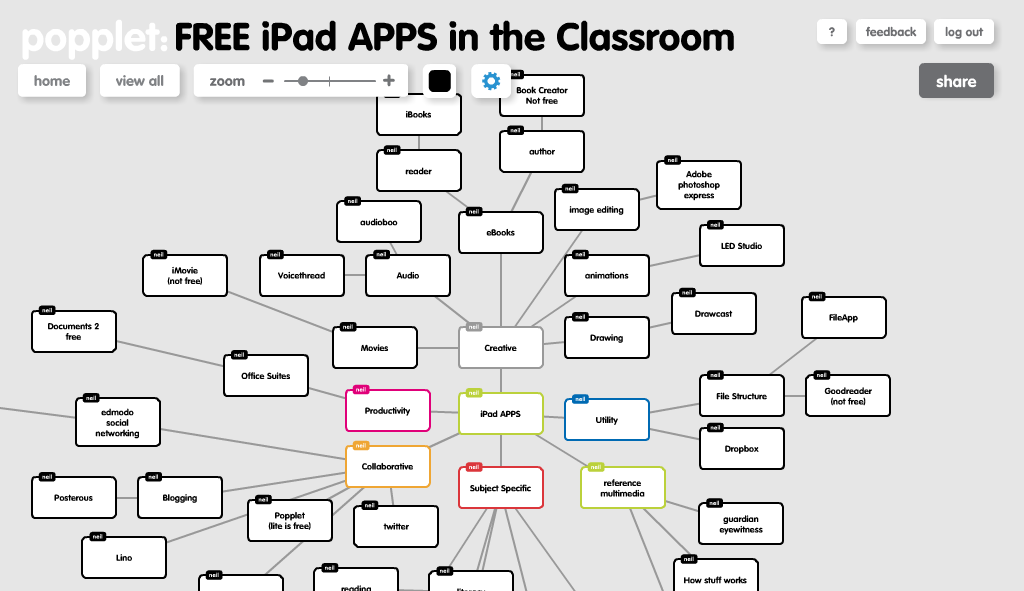
Popplet enables students to create a quick mind map with annotated photos and these can be shared. This feature is currently being fully developed for the iPad. You can create the ‘bare bones’ of a topic and have the students add the details and then share their work with you and the others. The one below could ask students to review the APPs for example.
Lino.it allows a wallwisher type wall to be shared so everyone can add their comments onto a shared space. I have yet to get this working effectively and will update posts when I do. In theory I can put a central question that everyone can answer.
Voicethread is fabulous if you can easily share across a whole class via email. This alows you to put a central image and have all your students add comments either as text, audio or video.




Recent Comments